
Electronic Drumset
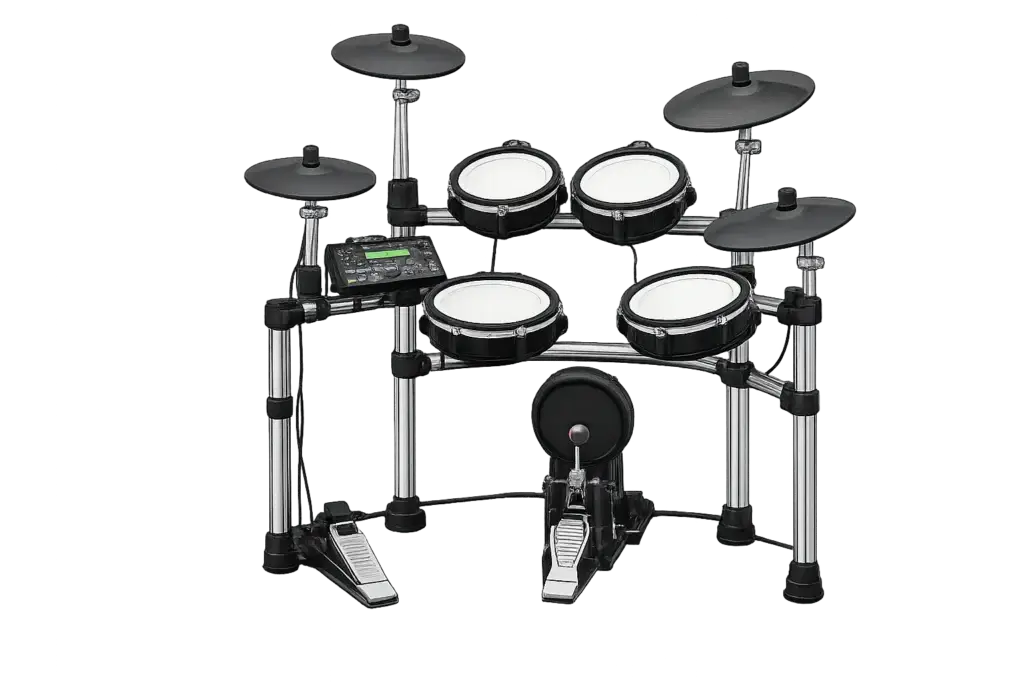
Connecting an Electronic Drum Set
Electronic drum sets can connect directly to your computer for online rehearsals. This allows the other band members to hear the sounds from your drum module clearly without using a microphone.
Option 1: Connect Directly by USB
Many Roland electronic drum modules can send audio directly to a computer through USB.
Connect the drum module to your computer with a USB cable.
Install the appropriate Roland driver, if required for your model.
Make sure your drum module is set to send USB audio.
Open FarPlay and select the Roland drum module as your audio input.
Test the drums to make sure FarPlay is receiving the signal.
Important: Some electronic drum sets send only MIDI through their USB connection. MIDI does not contain the actual drum sounds, so check that your drum module supports USB audio.
Option 2: Connect Through an Audio Interface
If your electronic drum module does not send audio through USB, you can connect it through a USB audio interface.
Electronic Drum Module → Audio Interface → Computer
Connect the Audio Out / L (Mono) output on your drum module to an input on your audio interface.
Connect the audio interface to your computer by USB.
Open FarPlay and select your audio interface as the input and output device.
Adjust the drum module and interface levels so the drums are clear without clipping or distortion.
A mono connection is perfectly fine for rehearsals and keeps the setup simple.
Use Headphones
Headphones with a mic are required during online rehearsals. They prevent the rehearsal audio and backing tracks from feeding back into the band, and the mic makes talking to the band possible.
Audio vs. MIDI
For All Ages All Stages Band rehearsals, we want to send the actual sound of your electronic drums, not just MIDI data.
If your computer recognizes your drum set as a MIDI device but FarPlay does not receive any drum sound, your module may be sending MIDI rather than audio. In that case, use the module’s audio output with an audio interface instead.
Not Sure How to Connect Your Kit?
Electronic drum sets and modules vary by model. If you’re unsure whether your drum set supports USB audio or which cable you need, contact us with the brand and model number of your drum module, and we’ll help you determine the best way to connect it.